
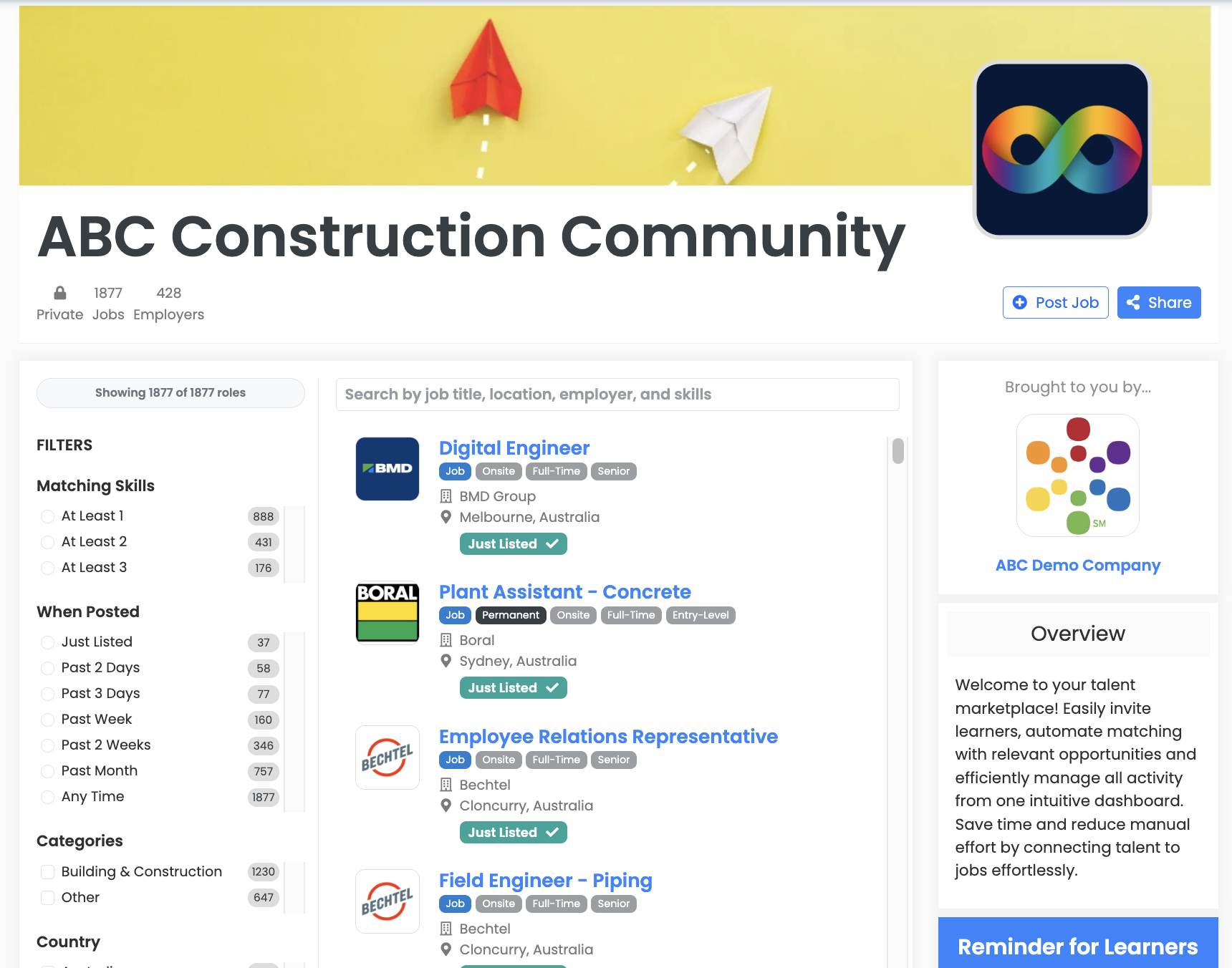
A careers hub is a branded job board or talent marketplace run by an organisation you are connected to. It connects you to roles that are relevant to what you actually do, instead of leaving you to search everything, everywhere, on your own.
Free for you to join and use for as long as you want it.
Your profile is matched against the skills and requirements on every role, so relevant work finds you.
Roles on your hub are shaped around your community, so there is far less to wade through.
Filter by what matters to you and get notified about matching roles, so nothing relevant slips past.
Your applications and your CVs live in one account, on the web and on your phone.
Not looking for work right now? Pause your notifications and everything will be here ready for you if and when you need it again.
Use the link the organisation sent you. Depending on the job board, you might join openly, request to join or need an invitation.
Add your skills, your work preferences and your CV. It takes a few minutes.
View and get notified about relevant roles, then apply in seconds and follow every application from one page.
Those boards are for the mass market. A careers hub is just for you:
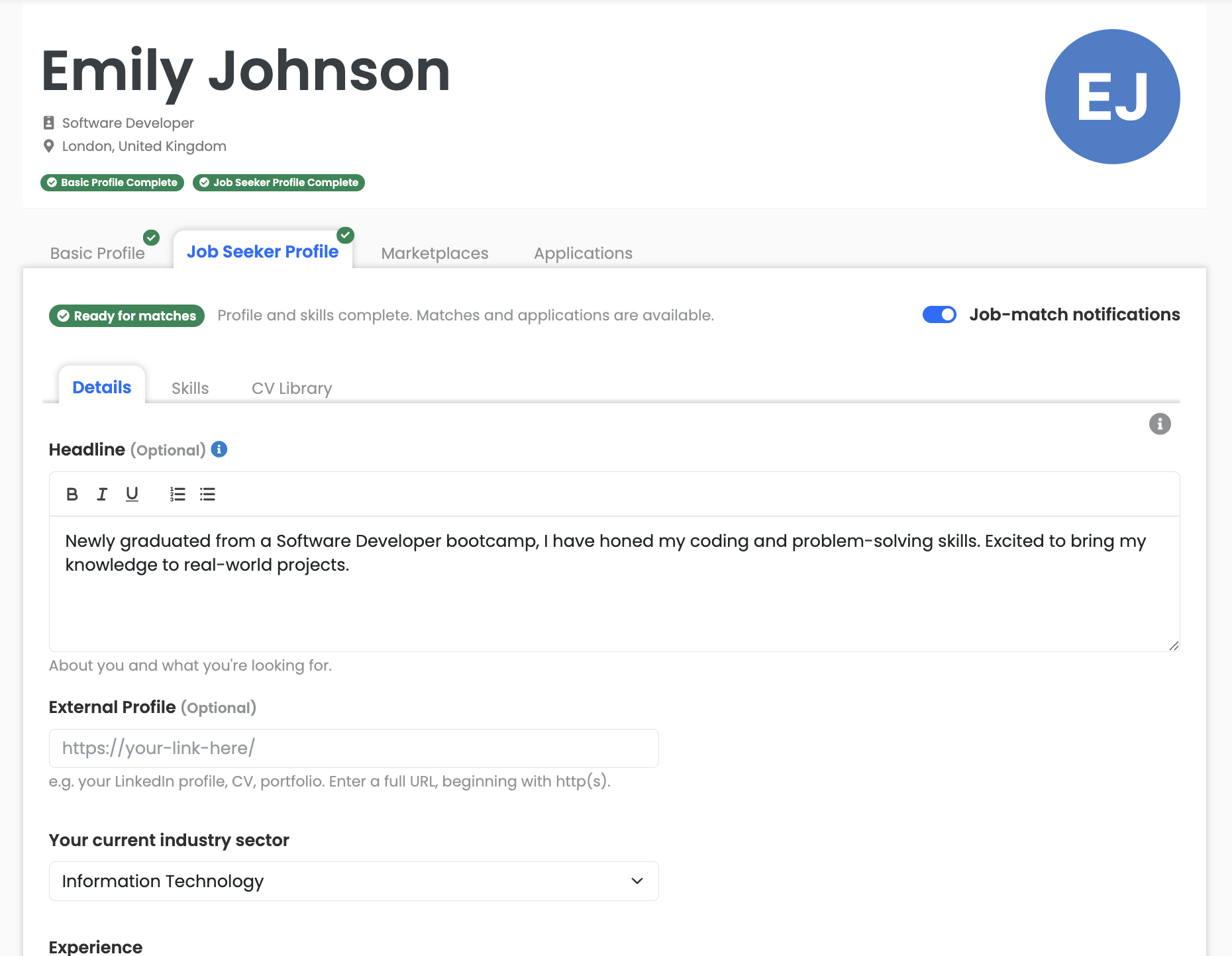
Your profile is what matching runs on, so it is worth a few minutes. The more complete it is, the better and faster your matches.
Hubs are set up differently, so one of these two will be how roles reach you.
Newly listed roles that fit your hub's criteria appear on the board automatically.
Work is published by the organisation running the hub and matched to the members who fit it.
Filter by the dimensions that matter to you, so you only spend time on roles worth applying for.
Work rights reflect what the employer stated on the role. They are not a determination of your legal eligibility to work.
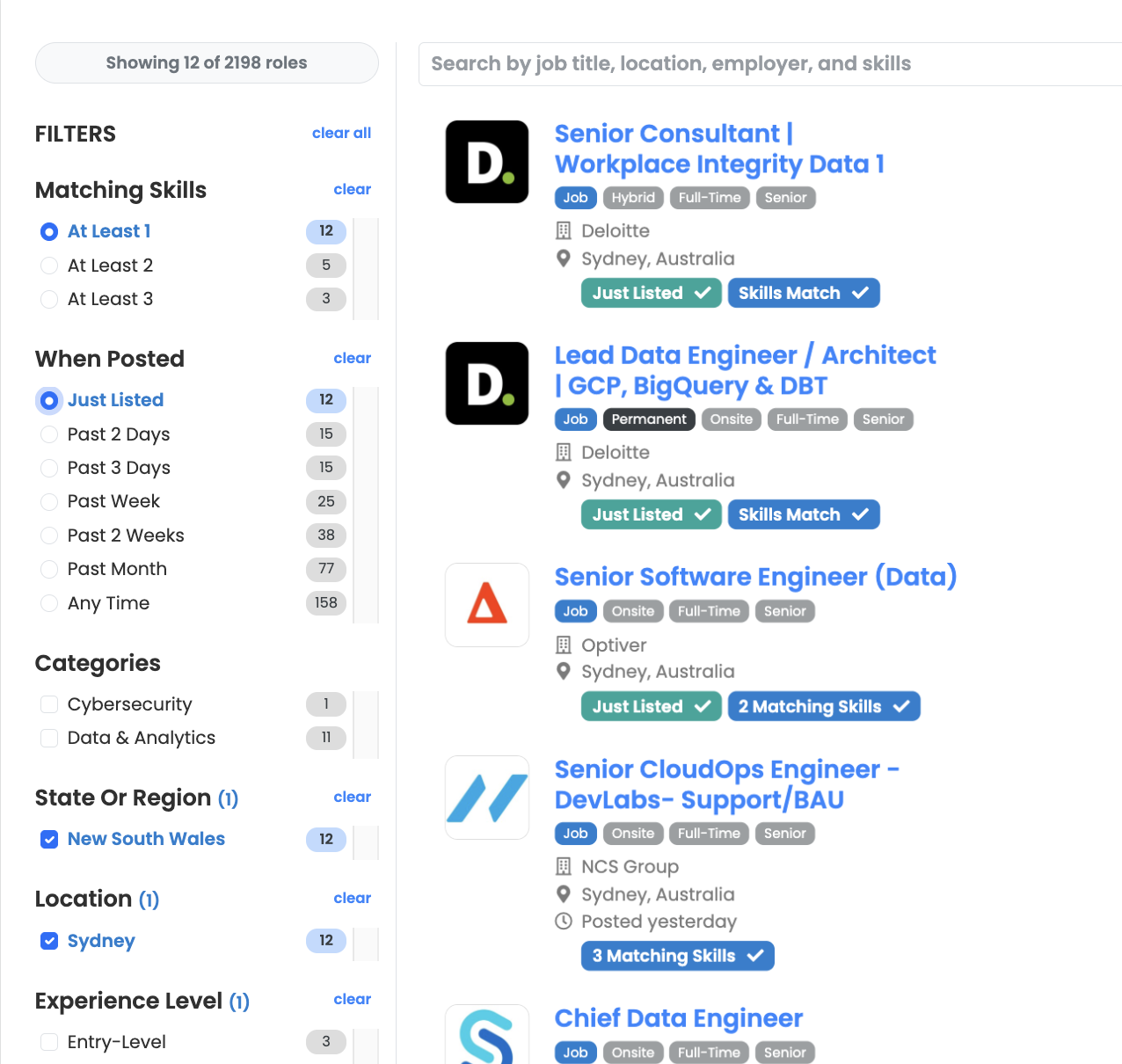
You only ever see what is relevant to you.
Roles that suit you, with role-type badges and pills showing which of your skills matched.
Hear as soon as a suitable role is posted, while it is still fresh.
Events, deadlines and webinars posted by the organisation running your hub.
Open the board and the roles relevant to you are already there, and you can filter by several categories at once to land on precisely the role you are looking for.
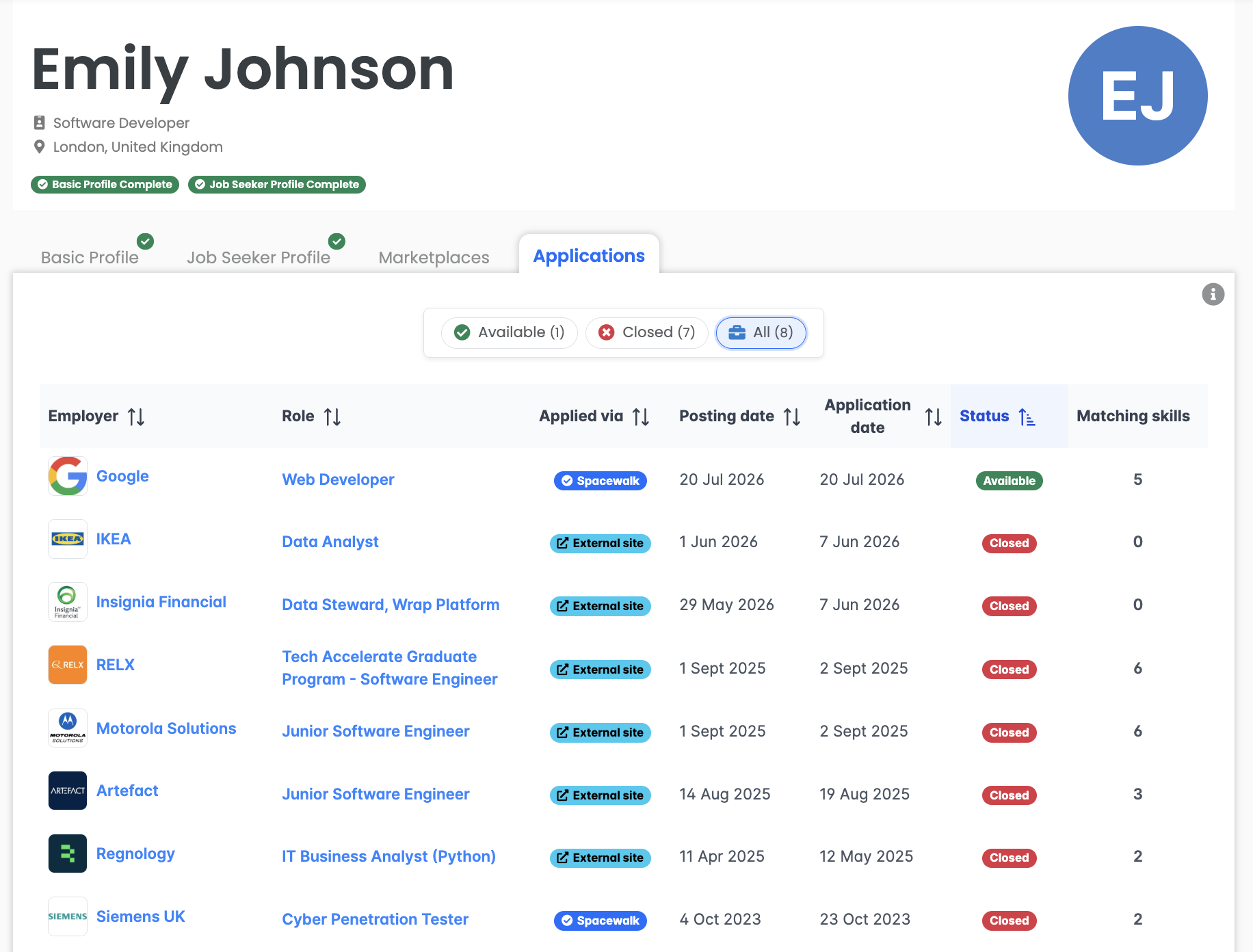
Everything you have applied for in one place, so your job search stays organised without a spreadsheet.
Yes. Joining a careers hub and using it is free for you. The organisation that runs the hub is the paying customer, not its members.
An organisation you are already connected to, such as your training provider, alumni network, professional association or an organisation that wants you in its talent pool. The hub carries their branding and they decide who can join it.
It depends on the hub. Some are public and anyone can join, some are private and you join by invitation or by requesting approval and some are invitation only.
Matching compares the skills and preferences on your profile against the skills and requirements on every role. The more complete your profile, the better and faster your matches.
Yes. You can keep up to five CVs in your CV library and choose which one to submit with each application. Though for roles that direct your application to an external site (eg the employer's website) they may have their own unique application questions.
Yes. You get notifications when a suitable role is posted and a weekly email with the opportunities that suit you. Your hub may also post announcements about events and deadlines.
Yes. You have a dedicated page listing all of your applications in one place, with the status of each one for you to easily update, so you can keep your own job search organised.
Yes. It works on the web and on your phone.
If you are hiring rather than looking for work, there is a page for that too.
Already a member? The job seeker guide walks you through every step, from joining your board to saving searches and tracking your applications.